Don't miss our holiday offer - up to 50% OFF!

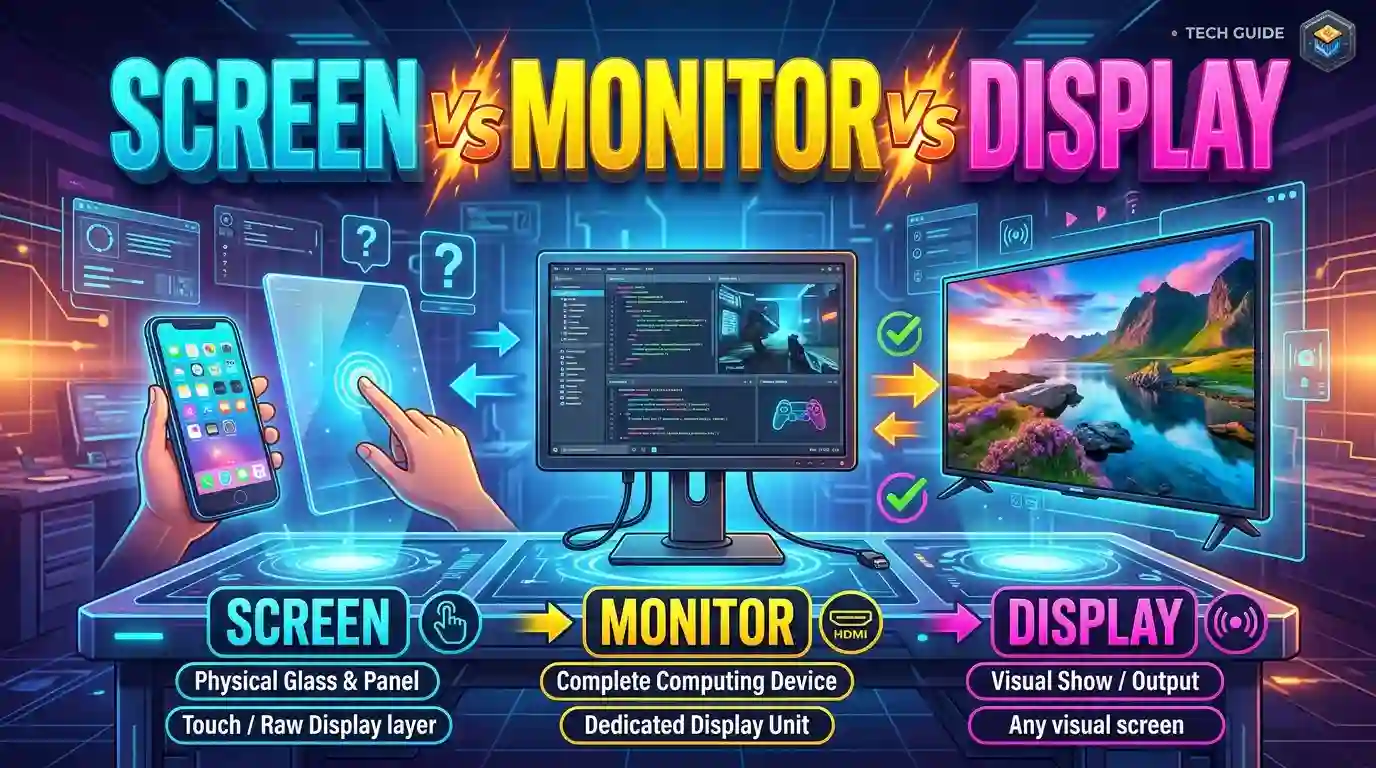
Screen vs Monitor vs Display: A Simple Guide for Beginners

Have you ever wondered whether to call your computer’s viewing area a screen, monitor, or display? These words often appear in the same conversations, but they do not always mean the same thing. Understanding Screen vs Monitor vs Display makes it easier to describe electronic devices, write clear instructions, and choose the right word. Although people often use these terms interchangeably, each has a slightly different meaning. Let’s look at their definitions, differences, common uses, and examples.
Quick Answer
Screen usually means the surface where images, text, and videos appear. Monitor refers to a device that shows visual information, usually from a computer. Display is the broadest term and can describe either the visual output or the technology that produces it.
What Each Term Means
To understand Screen vs Monitor vs Display, start with the basic meaning of each word. All three relate to visual information, but they describe different parts or functions of electronic devices.
1. What Does Screen Mean?
A screen is the surface where you see pictures, text, videos, and other visual information. It can be part of a phone, laptop, television, tablet, or other electronic device.
The word also has uses outside technology. A projector screen, for example, provides a surface for showing images.
Examples:
- My phone screen has a small crack.
- Please clean your laptop screen.
- The movie appeared on a large screen.
- Her tablet screen looks very bright.
- I cannot read the text on this screen.
People also use screen to describe what appears in software. For example, someone might say, “Open the next screen” when giving instructions for an app.
2. What Does Monitor Mean?
A monitor is an electronic device that displays information from a computer or another connected source. It usually has a separate physical body and connects to a desktop computer, laptop, or gaming system.
Monitors come in different sizes, resolutions, and designs. Some have flat panels, while others have curved screens. They are common in offices, schools, gaming rooms, and professional studios.
Examples:
- I bought a new computer monitor.
- The office needs two extra monitors.
- His monitor supports a high refresh rate.
- She connected her monitor to a laptop.
- This monitor has a sharp picture.
The word monitor can also be a verb. To monitor something means to watch, check, or observe it. For example, a technician may monitor a computer’s performance.
3. What Does Display Mean?
A display refers to the visual output shown by an electronic device. It can also describe the technology or component responsible for showing images and information.
You will often see this word in product descriptions, technical guides, and device settings.
Examples:
- This phone has a bright display.
- The laptop display looks clear.
- Adjust the display brightness before reading.
- The camera has a digital display.
- The television uses an OLED display.
Display also works as a verb. It means to show or present something.
For example, “The website displays the latest results.” Here, display describes an action rather than a physical part.
Screen vs Monitor vs Display: The Core Rule, Explained Once
The easiest way to understand Screen vs Monitor vs Display is to look at what each word describes.
A screen is mainly the viewing surface. A monitor is the complete viewing device. A display is the visual output or the technology used to show information.
Think about a desktop computer. The monitor is the complete device sitting on your desk. Its screen is the front surface where you see images. Its display refers to the visual output and, in technical contexts, the panel or display technology.
These meanings can overlap. A person might say, “My monitor has a bright screen,” or “The display looks beautiful.” Both sentences sound natural.
The difference becomes clearer when you look at how people use these words in different situations.
For example, a smartphone has a screen and a display, but people do not usually call the entire phone a monitor. Similarly, a projector screen is a screen, but it is not a computer monitor.
Another useful point is that these words belong to different parts of everyday and technical English. The choice depends on the object and the message you want to communicate.
For example, just as pre- and post- have different uses in English, these three terms have their own roles. Choosing the right one makes your writing more precise.
Examples in Context
The following Screen vs Monitor vs Display examples cover everyday conversations, shopping, education, work, and technology. Notice how the correct word changes with the situation.
- Shopping: I want to buy a computer monitor with a larger viewing area.
- Travel: The flight information appeared on the airport screen.
- Education: The teacher shared the lesson on a digital display.
- Office: Our team uses two monitors for daily tasks.
- Mobile technology: My phone screen automatically adjusts its brightness.
- Gaming: This monitor supports a 144Hz refresh rate.
- Photography: The camera’s display shows the picture after each shot.
- Entertainment: We watched the movie on a giant outdoor screen.
- Shopping online: The product description mentions an AMOLED display.
- Home use: I connected my laptop to an external monitor.
Each example uses the word that best describes the object or function in that situation.
Common Mistakes
Some writing mistakes happen because people assume Screen vs Monitor vs Display always means the same thing. Here are five errors worth avoiding.
- Wrong: I need to replace my computer screen device.
Right: I need to replace my computer monitor.
Reason: Monitor already refers to the complete device. - Wrong: My phone monitor is broken.
Right: My phone screen is broken.
Reason: Screen is the natural everyday word for the viewing surface of a phone. - Wrong: The display is sitting on my desk, connected to the computer.
Right: The monitor is sitting on my desk, connected to the computer.
Reason: Monitor identifies the complete external device more clearly. - Wrong: Please increase the monitor brightness in the phone settings.
Right: Please increase the screen brightness in the phone settings.
Reason: Screen is more natural when discussing a phone’s viewing surface. - Wrong: The television has a computer screen attached to it.
Right: The television has a large display.
Reason: Display is a suitable term for the visual panel of a television.
These examples also show why context matters. A sentence can sound understandable but still use a less suitable word.
Tricky or Edge Cases
Some situations make these terms harder to separate. Their meanings can overlap, especially in product descriptions and everyday conversations.
Is a Laptop Screen Also a Display?
Yes. A laptop has a screen that shows visual information. The same component can also be called its display, especially in technical descriptions.
For example, a repair shop might advertise a laptop display replacement. A customer may simply ask for a new laptop screen.
Can a Television Be Called a Monitor?
Yes, in some situations. A television can work as an external monitor when connected to a computer. However, people usually call it a television when discussing its normal use for watching programs.
Is a Projector Screen a Display?
A projector screen can be described as a display surface because it shows projected images. However, it does not produce the images by itself. The projector creates the picture and sends it onto the surface.
Does Display Always Mean a Physical Part?
No. Display can refer to visual information shown by software. For example, a website may display a message, or an application may display a notification. In these sentences, the word describes an action rather than a physical component.
How to Remember It
Remember Screen vs Monitor vs Display with three simple ideas: a screen is where you look, a monitor is the device you use, and a display is what shows visual information.
Think of a desktop setup. The complete device is the monitor, the front viewing surface is the screen, and the visual output is the display.
You can also remember that a screen may be part of a larger device, while a monitor is usually the device itself.
Which Is More Correct or More Common?
None of these three words is grammatically incorrect. They are all standard English terms. The best choice depends on the situation and the meaning you want to express.
Screen is very common in everyday conversations. People use it when discussing phones, laptops, televisions, tablets, and movie theaters.
Monitor is more specific. It usually refers to a computer display device, especially one that connects separately to a computer. It is also common in office and gaming environments.
Display is widely used in technical writing and product descriptions. Manufacturers often use it when discussing resolution, brightness, panel types, and visual quality.
You may notice similar differences in other English expressions. For example, time slot has a specific spelling convention, while these three words have differences in meaning and usage.
The same applies to descriptions of device age. A two-year-old monitor is a natural way to describe an older computer device.
Therefore, there is no single word that is always more correct. Choose the term that best describes the object or action in your sentence.
Quick Reference Table
This table gives you a simple way to compare the three words and remember their main uses.
| Word | Main Meaning | Common Examples |
| Screen | Surface where visual information appears | Phone screen, laptop screen, movie screen |
| Monitor | Complete electronic viewing device | Computer monitor, gaming monitor |
| Display | Visual output or technology that shows information | OLED display, digital display, screen display |
FAQs
Here are answers to common questions about these terms, including their meanings, everyday usage, and differences in technology.
1. What Is the Main Difference Between a Screen and a Monitor?
A screen is the surface where images appear, while a monitor is the complete electronic device that shows those images. A computer monitor contains a screen.
2. Is a Monitor the Same as a Display?
Not exactly. A monitor is usually a complete device, while a display can refer to the visual output or the technology that produces it. However, people sometimes use both words interchangeably.
3. Should I Say Phone Screen or Phone Display?
Both expressions are correct. Phone screen is more common in everyday conversations, while phone display often appears in technical descriptions and product specifications.
4. Can I Use the Word Screen for a Computer Monitor?
Yes. People commonly use screen when referring to the viewing surface of a computer monitor. However, monitor is the more precise word when discussing the complete device.
5. Which Word Is Best for Technical Writing?
Display is often suitable for technical writing about resolution, panel technology, brightness, and visual output. Use monitor when referring to the complete computer device and screen when discussing its viewing surface.
Conclusion
Understanding Screen vs Monitor vs Display makes everyday communication about technology much easier. A screen is the surface you look at, a monitor is the complete viewing device, and a display refers to the visual output or the technology behind it. Although these terms sometimes overlap, choosing the right word helps you explain technical details without confusing your readers.
The next time you discuss a phone, laptop, television, or computer setup, think about the part you want to describe. Small word choices can make your writing clearer and more natural. If you enjoy learning about similar English distinctions, explore guides on word meanings and usage to build stronger writing skills.